
Activation messages and how to solve them
What "all seats are in use", "belongs to another computer", "revoked" or "expired" mean and what to do.
"All seats of this licence are in use"
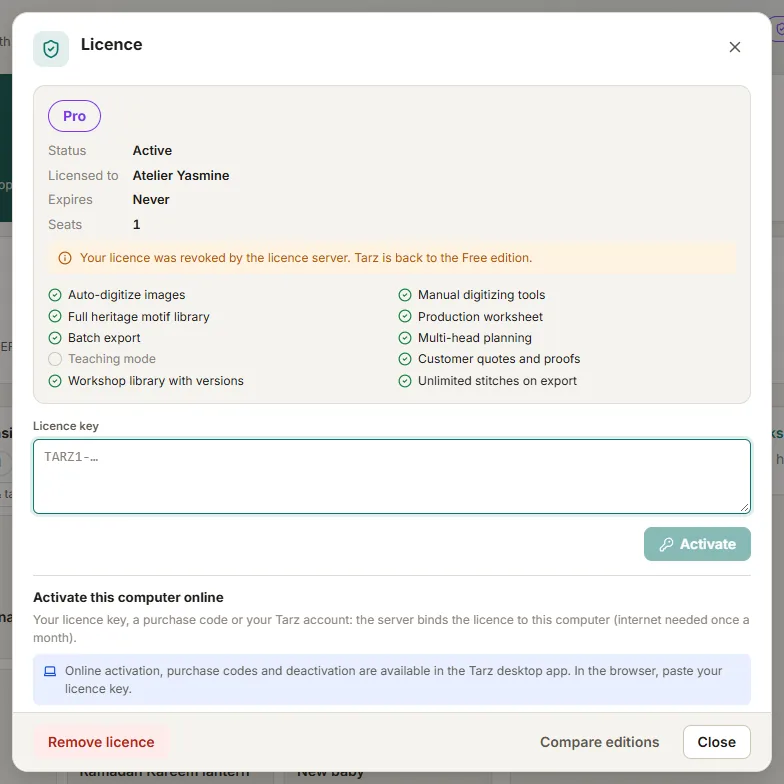
The licence is already active on as many computers as it has seats. Tarz lists the active devices: free one of them in your account under Licences (or on that computer with Licence → Deactivate this computer), then click Activate again.
"This key belongs to another computer"
You pasted a key that was activated on a different computer (keys sent by Tarz after activation are bound to one machine). Use the master key shown in your account instead: it starts with TARZ1- and works on any of your computers.
"This key, code or account has no valid licence"
Check that you copied the whole key (it is long — use the Copy button in your account), or that the purchase code is typed correctly (letters and digits, the dashes are optional). When signing in with your account, use the e-mail address used for the purchase.
"This licence has expired"
Yearly licences stop after their end date. Renew from the Pricing page: the new licence appears in your account immediately after payment.
"This licence was revoked"
A licence is revoked after a refund, a chargeback or a fraud report. If you think this is a mistake, contact support with your order number.
"The computer's date was set back"
Correct the date and time of the computer, then connect it to the internet once: the licence is refreshed and paid features come back.
"The licence server is not available right now"
Our server may be under maintenance, or your network blocks it. Try again in a few minutes. Your current activation keeps working in the meantime.