
Garment guide and tracing image: place, resize, rotate and lock
Put the garment and a reference photo under your design, adjust them directly on the canvas, and lock them while you draw. They are never sewn.
Two independent layers
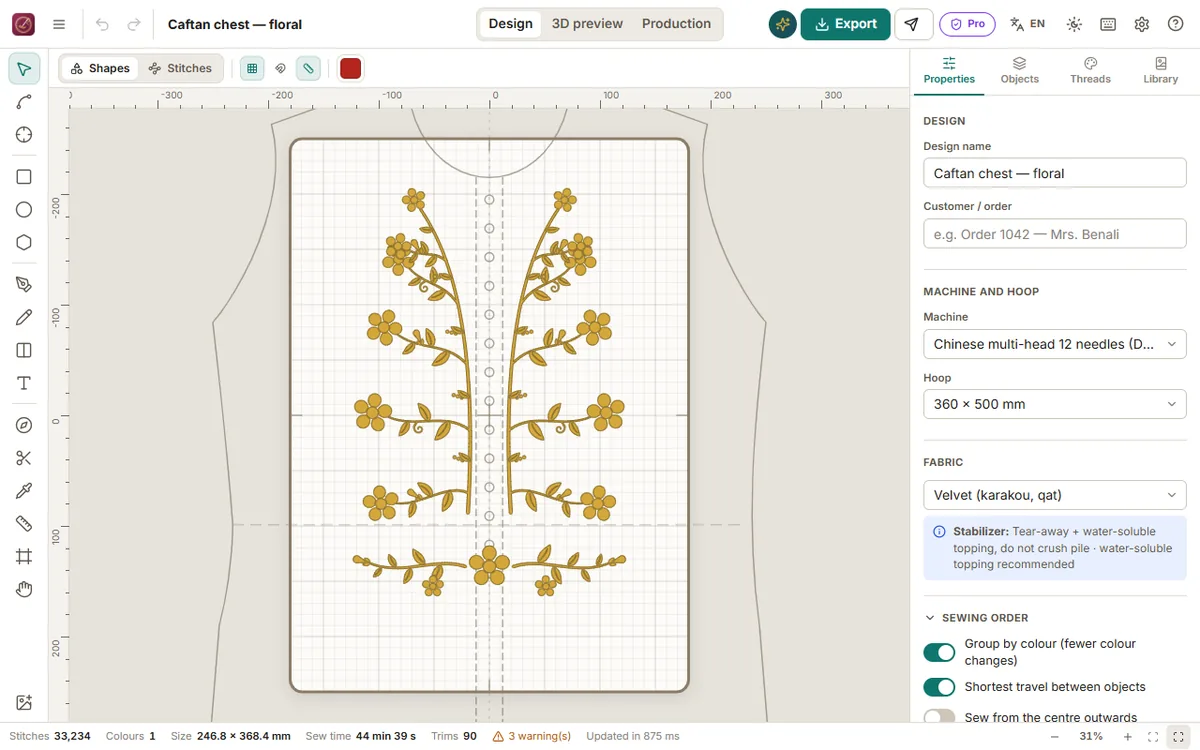
With nothing selected, Properties has two sections:
- Garment guide: the front piece of a caftan, takchita or karakou drawn to scale (sizes S to XL). Embroidery is placed exactly on the neckline, opening and chest.
- Tracing image: any photo or drawing (a hand-drawn transfer, a customer's picture) to draw over. Use Add a tracing image or File → Tracing image.
Both can be shown together; the garment stays under the tracing image. Neither is ever sewn or exported.
Adjust on the canvas
Click Adjust on canvas in the section:
- drag inside to move (Shift keeps it straight);
- drag a corner to resize — the proportions are always kept (Alt resizes from the centre);
- drag the round handle above the top edge to rotate (Shift turns in 15° steps);
- the arrow keys nudge by 1 mm (Shift: 10 mm);
- press Enter or Esc, or click outside, when you are done.
The view zooms out to show the whole garment. Every adjustment is one undo step (Ctrl+Z).
Exact values
The same section has X / Y, width / height, rotation, buttons to turn by 90° and to mirror, Fit to hoop, and Real size (garment) or Original size (image). Changing the garment type or size keeps the neck point where you placed it.
Show, hide, fade and lock
- the eye hides or shows the layer;
- Opacity fades it so your stitches stay readable;
- the padlock protects it from moving while you draw — lock the tracing image once it is in place;
- the bin removes it.
These settings are saved with the design.