
Caftan chests, large frames and following the sew-out
Use caftan motifs and templates, draw on a garment guide, fill a large frame with several pieces and follow what each machine is sewing.
Caftan motifs and templates
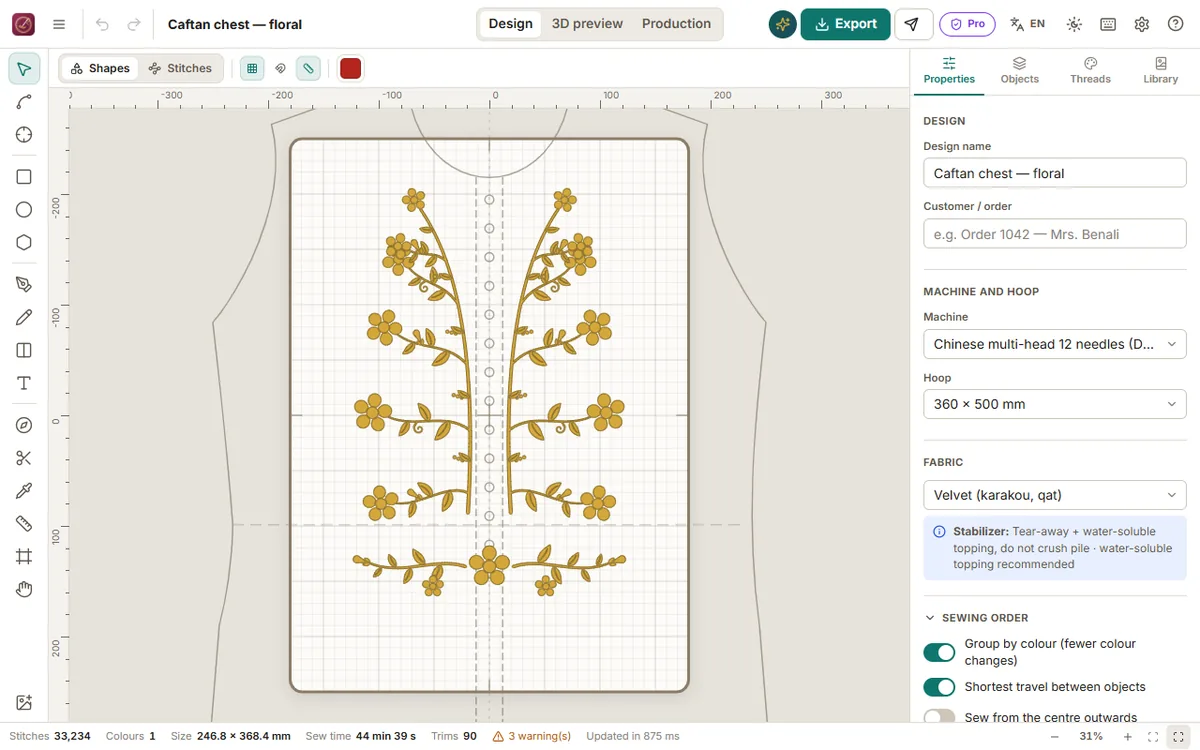
- Library → Motifs → Caftan: five-petal flowers, veined leaves, tendrils, paisley (single and pair), vine columns for the front edges, floral and paisley half chests, belt and corner sprays. Drag them onto the design; they are made of separate satin pieces like workshop transfer patterns.
- New → Templates → Caftan: half chest for 200 × 300 hoops (sew it twice, mirrored), full floral or paisley chest and takchita plastron for 360 × 500 and multi-head frames, front-edge trims, belt.
Garment guide
In Properties (nothing selected), choose a Garment guide: caftan round neck, caftan V neck, takchita plastron or karakou fronts, in sizes S to XL. The outline is drawn to scale under your design so you place motifs exactly on the chest. It is never sewn.
Several pieces in one hooping (large and multi-head machines)
Multi-head profiles offer 400 × 450, 400 × 500 and 500 × 500 frames and 500 × 800 / 500 × 1200 border frames. Select a piece and use File → Step & repeat (or right-click): set columns, rows and spacing, or Fill the hoop; Mirror every other column gives left and right pieces. The copies are centred in the frame.
Follow the sew-out (Production)
In Production, the sew-along tracker shows what the machine is sewing. Type the stitch number shown on the machine's panel (or start the timer at machine speed; it pauses at thread changes). Tarz shows the part being sewn, the progress, the time left, the next thread change with its needle, and the finished pieces. Embroidery machines do not publish their progress over a network, so the number from the panel is the reference. Progress is kept per design.