
Look at your design in 3D
Move, zoom and turn around large designs easily, change the background and fabric colour, and watch the sew-out.
Open 3D preview (Alt+2). The design is shown with real thread on the fabric of the design.
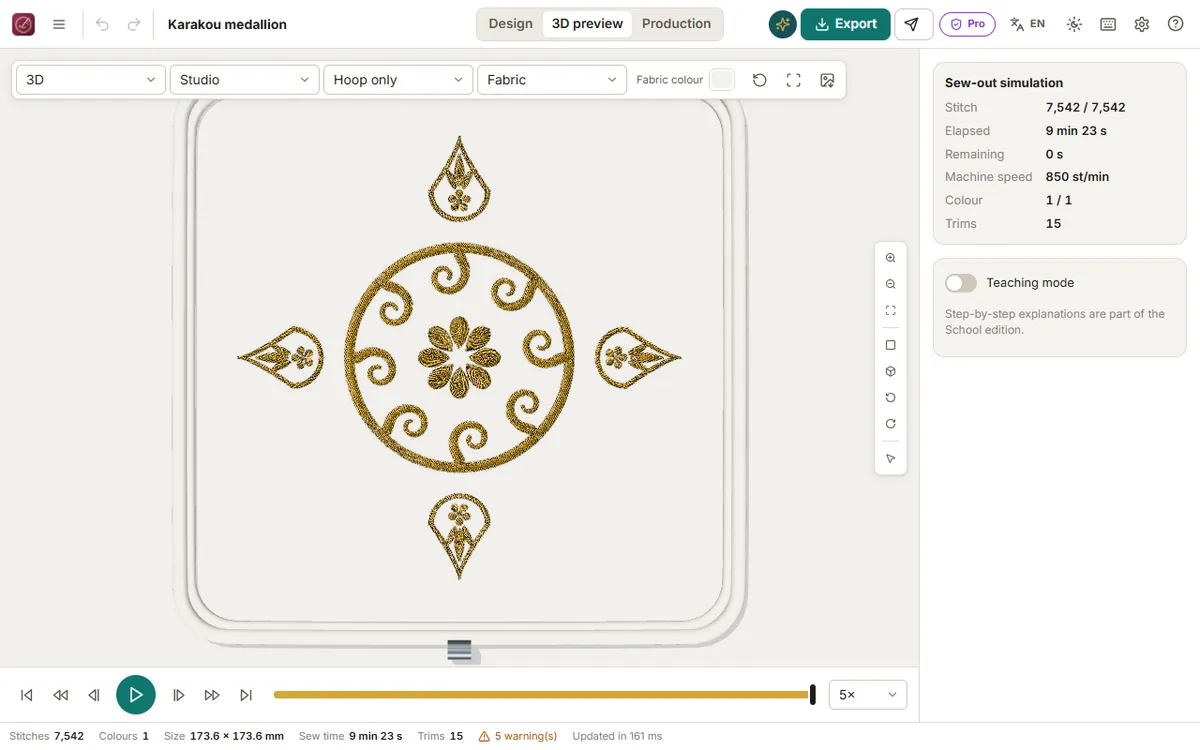
Moving around
- Drag: move the view (like a map).
- Right drag (or Shift + drag): turn and tilt.
- Wheel or pinch: zoom where the pointer is.
- Double-click: zoom in on that spot (Alt + double-click: zoom out).
- The bar on the side: zoom in/out, fit, view from above, tilted view, turn left/right. The last button shows these tips.
- Keys:
+−zoom,0fit,1from above,2tilted,QEturn,↑↓move.
Transitions are smooth, so you never lose your place on a large design such as a full caftan chest.
Background and fabric
Choose Background: the fabric everywhere, a studio table, black, greys, white or any colour (useful to check gold on a dark backdrop). Fabric colour previews the design on another colour; the arrow button returns to the fabric's own colour.
Sew-out simulation
Play, pause and step through the stitches; [ and ] jump between colours. The panel shows elapsed and remaining time at the machine's speed. Click a stitch to select its object in the editor.