
Pay with a CIB or Edahabia card
Buy a licence in Algerian dinars with your CIB bank card or your Algérie Poste Edahabia card.
All prices are in Algerian dinars (DZD). You pay on the secure page of a licensed Algerian payment gateway (Chargily Pay, SlickPay or SATIM); Tarz never sees your card number.
- Create your account and confirm your e-mail address (the link arrives within a minute; check the spam folder).
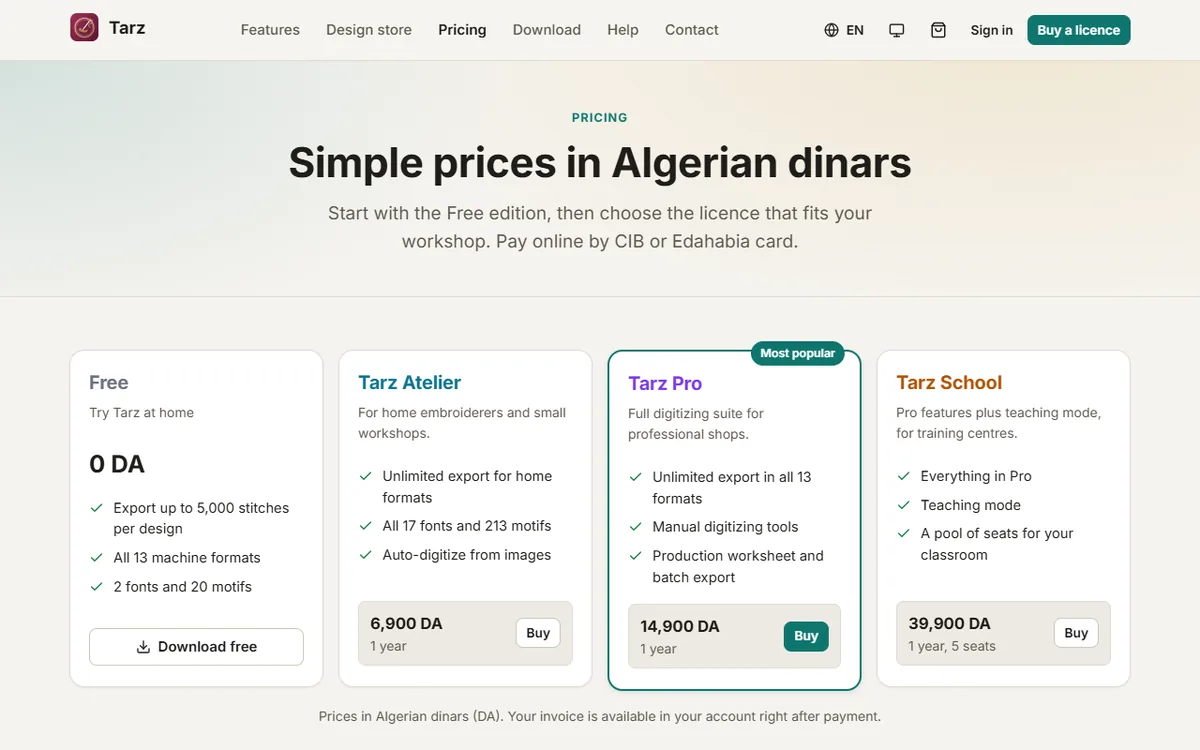
- Choose your edition on the Pricing page and click Buy.
- On the checkout page, enter a coupon code if you have one, then choose the payment method: CIB / Edahabia via Chargily Pay, SlickPay or SATIM.
- You are redirected to the gateway. Enter the card number, the expiry date, the CVV2 and, for some banks, the code received by SMS.
- After payment you come back to Tarz. The order page shows Paid within a few seconds, your licence appears under Licences and your invoice is e-mailed to you.
Before paying
- The card must be activated for online payment (e-paiement). Ask your bank (CIB) or Algérie Poste (Edahabia) if it is your first online payment.
- The amount must be within your card's online limit.
- Some banks send a one-time code by SMS: keep your phone nearby.
The payment failed
The order page shows the reason given by the bank (wrong code, insufficient balance, card not enabled for online payment…). No money is taken when a payment fails; you can try again from Orders → Pay again, or choose another gateway. If money was taken but the order still shows pending after 15 minutes, open a payment request with the order number: we check with the gateway.