
Updating Tarz
How Tarz checks for new versions, installs signed updates and keeps your licence and projects.
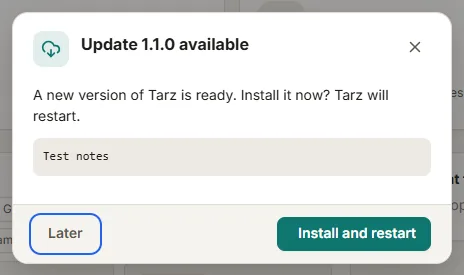
Tarz checks for new versions when you choose File → Check for updates. When an update is available, you see its version and release notes; click Install and Tarz downloads it, verifies its digital signature and restarts.
What is kept
- Your licence and activation: no need to activate again after an update.
- Your projects, thread palettes, favourite motifs and AI connections.
- Your interface language and theme.
Safe updates
Every update is signed. Tarz refuses a file whose signature does not match, so an update cannot be replaced by a modified program. You can also install a new version manually from the Download page: run the new installer over the old one, nothing is lost.
Update on a computer without internet
Download the installer on another computer, check its SHA-256 (shown on the Download page), copy it with a USB stick and run it. The licence of an offline computer is not affected by the update.
Is the update free?
Yes: updates are included while your licence is valid. What each plan includes is described on the Pricing page.