
Caps and jackets
Raised letters are a classic for snapbacks, team jackets and premium logos; Tarz Studio prepares every step for you.
Turn letters and logos into raised 3D puff in one switch. Tarz Studio increases the satin density for foam, closes the open ends, adds a perforation run around the outline and a stop so the operator can lay the foam.
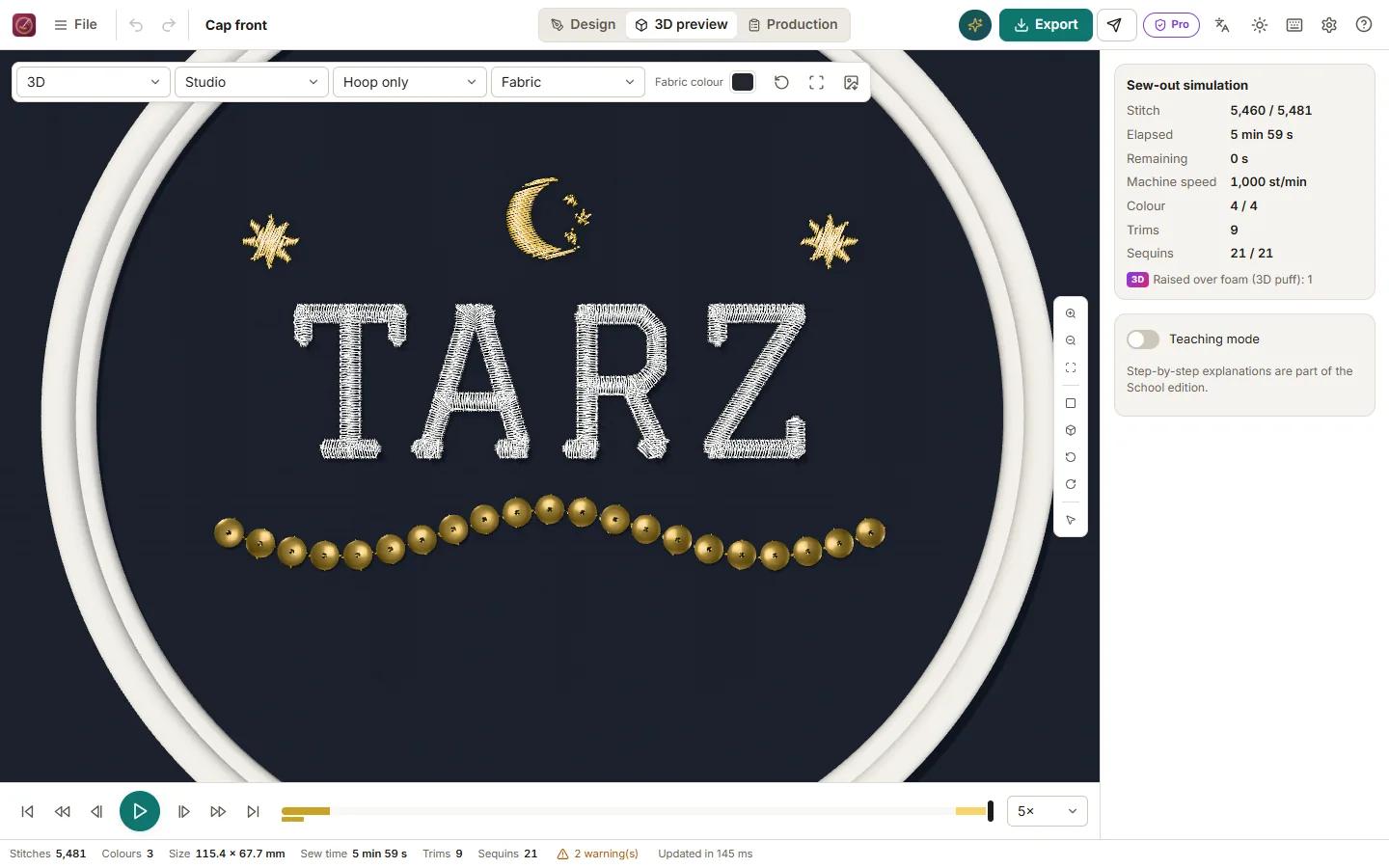
Raised letters are a classic for snapbacks, team jackets and premium logos; Tarz Studio prepares every step for you.
Capping and perforation make the foam break exactly along the outline, so nothing pokes out between the stitches.
The 3D preview shows the relief, and the production worksheet reminds the operator when to lay the foam.
Detailed instructions with screenshots in the help centre, in Arabic, French and English.
Download Tarz Studio for free and try it with your own machine today.