
For multi-machine workshops
See at a glance which head is sewing, which is waiting and which needs the operator.
Stop carrying USB sticks. Tarz Studio sends designs over your local network to connected machines, keeps a queue for each one and shows their state: receiving, sewing, thread break, finished.
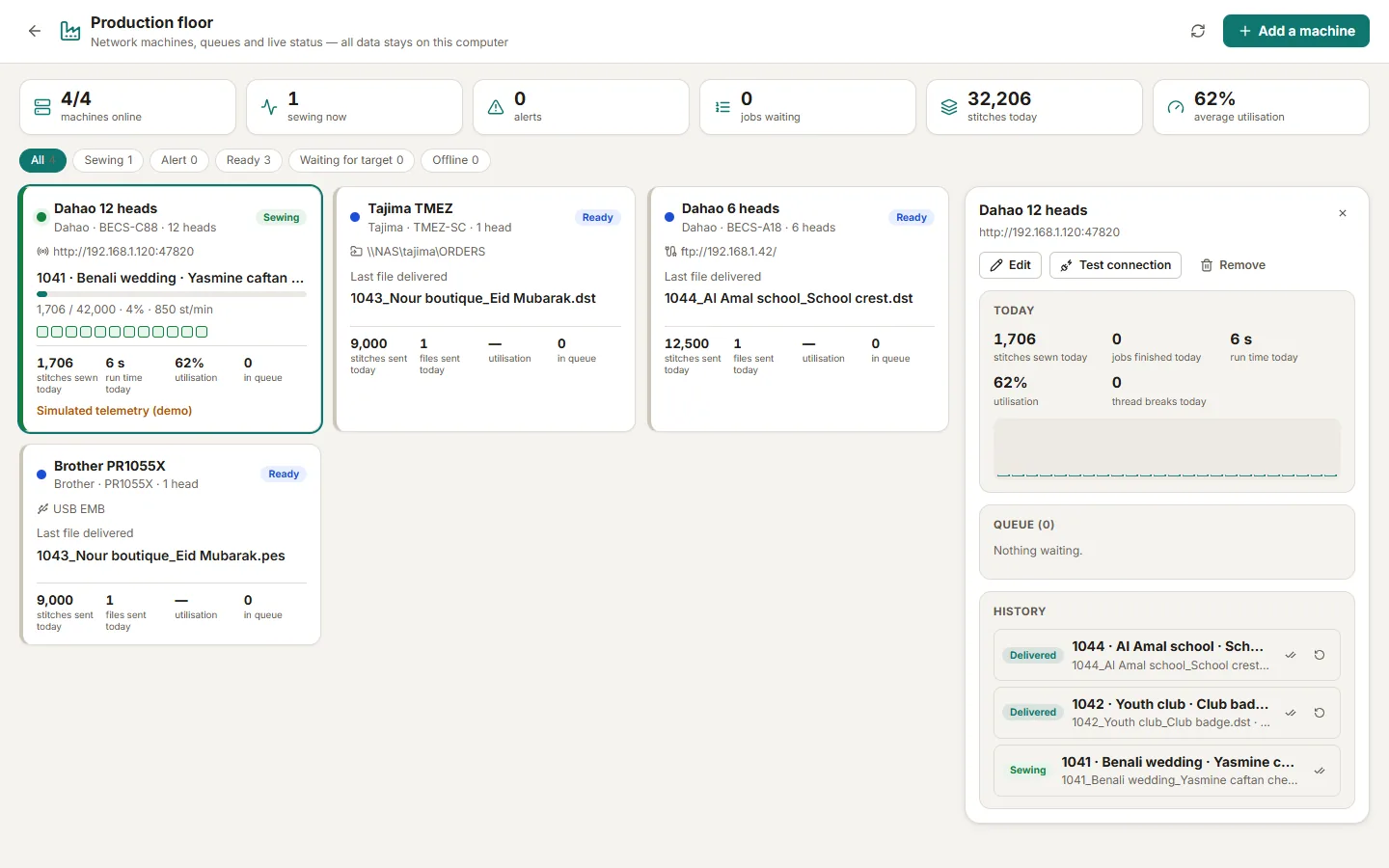
See at a glance which head is sewing, which is waiting and which needs the operator.
The design is converted and checked for that machine before it is sent; no wrong format or oversized hoop on the floor.
Network adapters and machine profiles cover common commercial controllers, including those widely used in Algeria.
Detailed instructions with screenshots in the help centre, in Arabic, French and English.
Download Tarz Studio for free and try it with your own machine today.