
Auto-branching: sew connected objects without trims
Join several objects of the same colour into one continuous path with hidden travel runs, so the machine stops trimming between them.
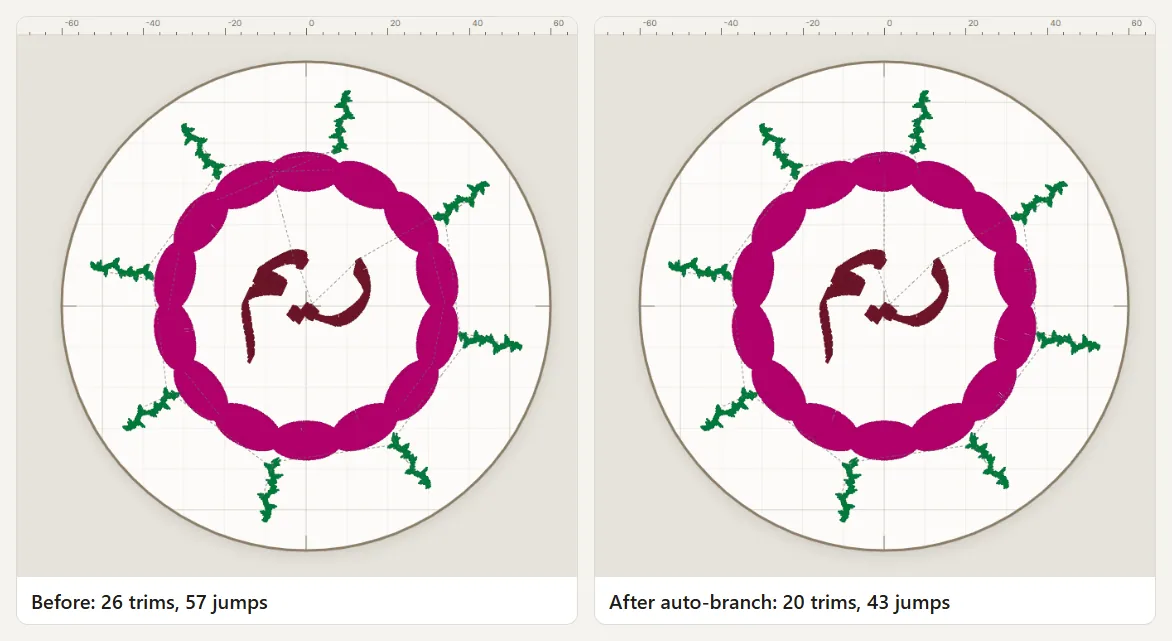
Auto-branching turns a group of touching or nearby objects of the same thread (petals, leaves, the letters of a word) into one continuous path. Tarz Studio sews the connections first, as short travel runs placed under the area that will be covered, then the top stitching hides them. The machine no longer jumps and trims between the parts.
When to use it
- Floral motifs, borders and frames made of many small parts in one colour.
- Joined Arabic words and monograms.
- Any design where the 3D preview or the production worksheet shows many trims inside one colour block.
Step by step
- Select the objects to join (click, then Shift+click, or drag a selection frame). They must use the same thread.
- Right-click and choose Auto-branch, or use Arrange → Auto-branch (Ctrl+B).
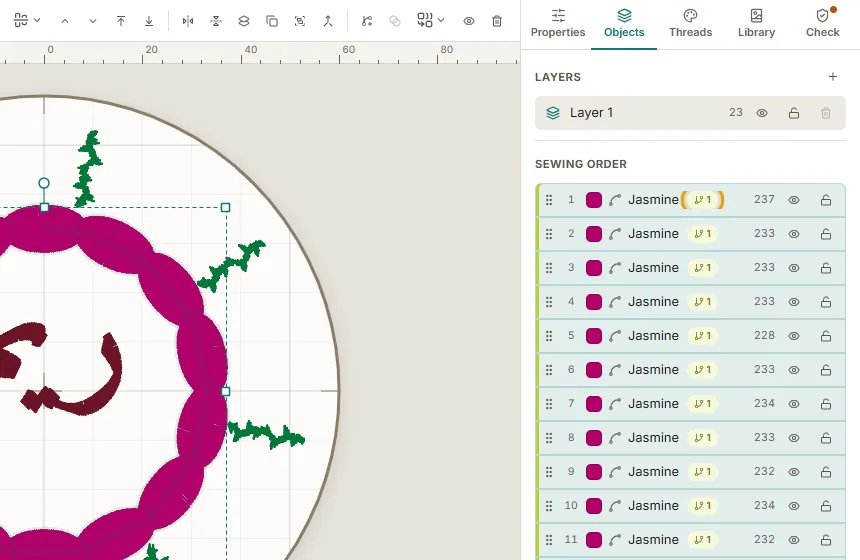
- Tarz Studio builds the branch: the objects keep their own stitch types, but they now share a branch and are sewn in one pass. A small branch badge appears in the object list.
- Open the 3D preview and play the sew-out: travel runs appear first, then disappear under the satin or fill. The trim counter of the colour block drops.
- Export as usual: the machine check confirms the number of trims.
Entry and exit points
Tarz Studio chooses the entry and exit of each object at the closest join, so connections stay short. If you move an object later, select the branch and choose Auto-branch again to recompute the order.
Undo or remove a branch
- Ctrl+Z right after branching restores the previous sequence.
- Arrange → Unbranch (Ctrl+Shift+B) separates the objects again; they remain fully editable at all times.
Tips
- Travel runs need a covered area to hide in. Objects that are far apart (more than about 10 mm with nothing in between) are still linked with a jump and a trim: that is intentional, a long visible travel would look worse.
- Thin running-stitch outlines cannot hide a travel run; put them last in the branch or leave them out.
- Branching works best when combined with the right fabric settings: see the fabric assistant.