
Sell your designs on the store
Become a designer on the Tarz Studio store, publish designs with previews and machine formats, and receive your earnings.
The Tarz Studio store sells ready-to-stitch designs made by digitizers and workshops. You can publish your own designs there and earn from every sale.
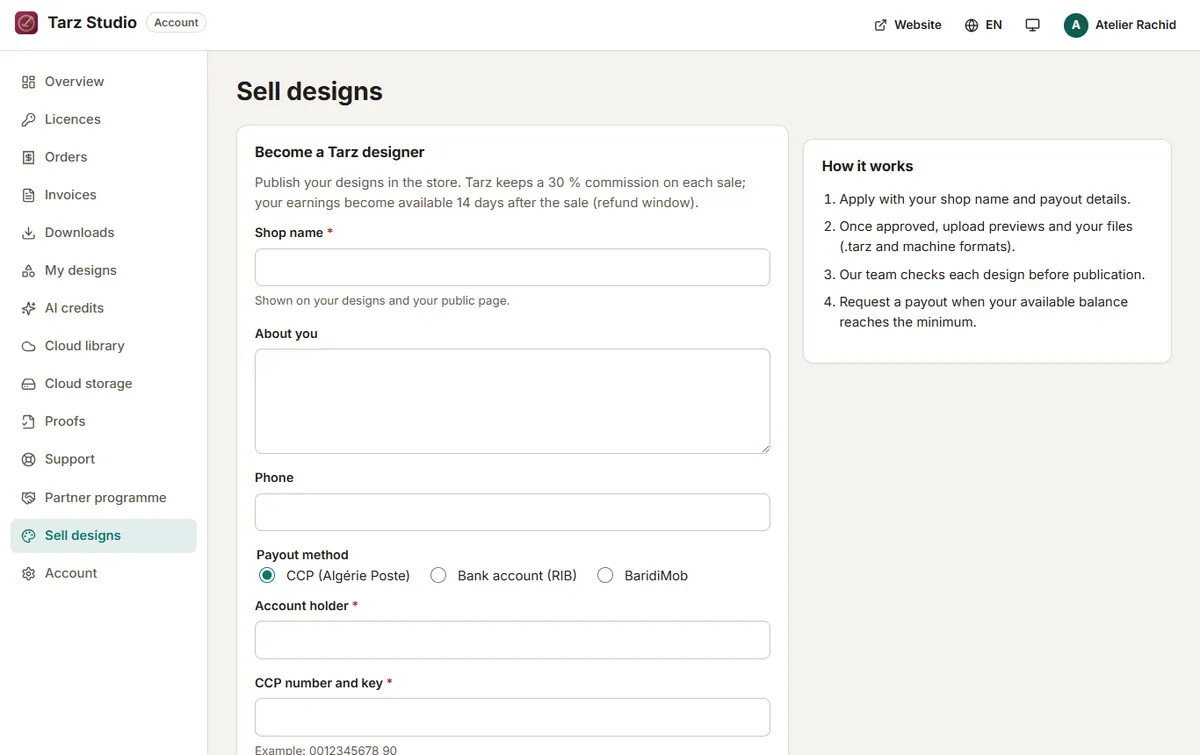
1. Create your designer profile
- Sign in on the website and open your account, then Designer.
- Fill in your shop name, a short presentation (in Arabic, French and/or English) and a picture.
- Enter the payout details requested (for example your CCP or bank account) and accept the designer terms.
- Your profile is reviewed by the Tarz team; you receive an e-mail when it is approved.
2. Publish a design
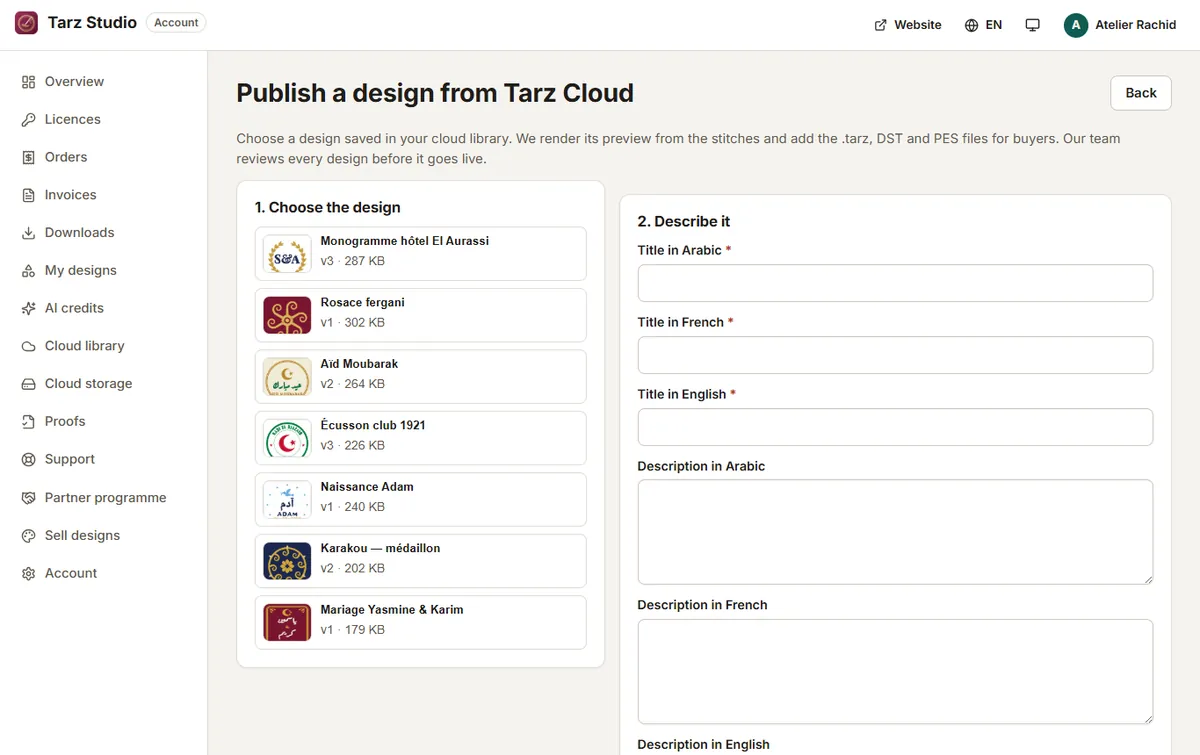
- In Tarz Studio, open the design and choose File → Publish to store, or upload it from Designer → New listing on the website.
- Add a title, a description, the category (wedding, Eid, karakou, monograms…) and keywords.
- Previews are generated automatically from the design (realistic 2D and 3D); you can add photos of the sewn result.
- Choose the formats offered to buyers (DST, PES, JEF, EXP and others): files are produced from the design, so buyers always get clean files.
- Set your price and submit. Listings are checked before they appear on the store.
3. Follow your sales
Designer → Sales shows sales, earnings and reviews. Payouts are made according to the schedule shown in your designer page; each payout appears with its details.
Good practice
- Publish only designs you created or have the right to sell.
- Test-sew each design and mention the size, stitch count and recommended fabric.
- Answer buyers' questions quickly: good reviews bring more sales.